.svg)
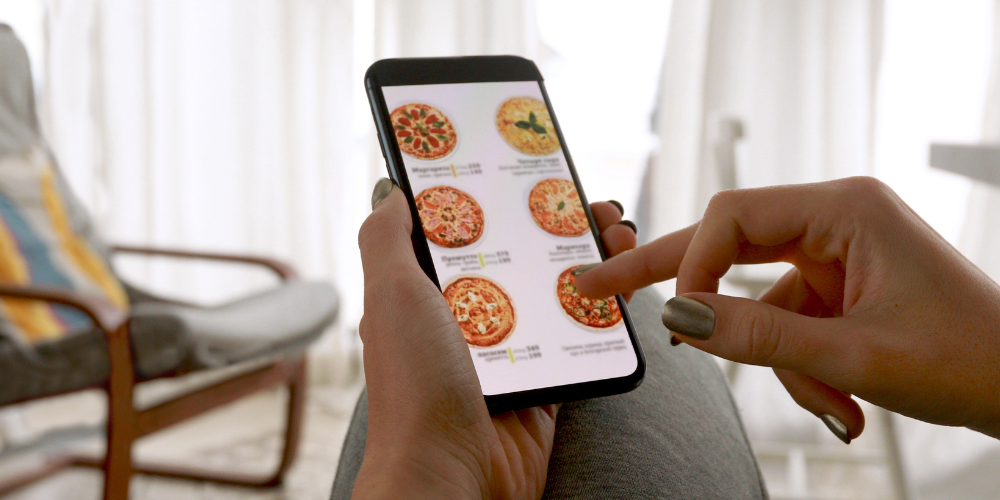
Running a restaurant today means competing on convenience as much as cuisine. A modern Online Ordering System For Restaurants is no longer a “nice-to-have”—it’s a profit lever that can protect margins, streamline operations, and strengthen guest relationships. The best platforms do more than collect orders: they help achieve error-free order processing, manage delivery and pickup, increase customer satisfaction and create a consistent experience across web, mobile app, and in-store channels.
Below are the top features to prioritise when evaluating restaurant ordering software (and how to use them to drive measurable results).
1) Branded, Commission-Free Ordering (Own the Customer Relationship)
Third-party marketplaces can bring exposure, but they often come with high commissions and limited control over the guest experience. A commission-free ordering platform helps you capture direct orders through your own channels—your website, branded link, or in-store QR—so you can reduce third-party delivery platform fees and keep guest data.
What to look for:
- Branded storefront (your logo, colours, domain options)
- Ability to run direct-order promotions without marketplace restrictions
- Customer database/CRM export and marketing permissions
- Clear commission fees structure (no surprise “service fees” passed to guests)
Operator tip: Use direct ordering incentives (e.g., “Free appetiser on direct orders”) to shift repeat customers away from high-commission channels.
2) Fast, Flexible Online Menu Builder (Built for Real Operations)
An online menu design builder for restaurants should be easy enough for managers to update daily—without waiting on support tickets. Your menu items changes constantly: 86’d items, seasonal specials, price updates, and prep-time adjustments.
Must-have capabilities:
- Item modifiers (add-ons, cooking temps, allergies notes)
- Upsells and bundles (combos, family meals, “make it a meal”)
- Scheduling (breakfast vs. dinner menus, weekend specials)
- Inventory-based availability (hide items when sold out)
- Multi-location menu control with local overrides
This is where restaurant ordering system features directly affect your throughput and guest satisfaction: fewer “sorry we’re out” calls, fewer remakes, and smoother kitchen pacing.
3) Mobile Ordering That’s Actually Built for Restaurants
Guests increasingly expect mobile ordering for restaurants—not just a mobile-friendly web page, but a clean ordering flow that reduces friction.
Look for mobile-first features like:
- One-tap reorder for returning guests
- Apple/Google Pay options where available
- Saved addresses, favourite items, and easy customisation
- SMS order updates (received, in progress, ready)
Manager takeaway: When mobile checkout is faster, you typically see higher conversion and larger tickets—especially when upsells are positioned intelligently.
4) QR Code Menu + Table-Side Ordering (Done the Right Way)
Many operators still ask, what is a QR code menu? In practical terms, it’s a scannable code that opens a digital menu—often with optional ordering and payment.
High-value QR capabilities:
- Table numbers or zones (so orders route correctly)
- Dine-in-only menus and modifier controls
- Tip prompts for counter service
- Item-level allergen notes
A QR experience should reduce bottlenecks—not create them. If guests can’t find items, customize easily, or get clear pickup instructions, you’ll increase staff interruptions instead of lowering them.
5) POS Integration for Online Orders (Prevent Double Entry and Chaos)
POS integration for online orders is one of the most important features for consistency, reporting, and labor efficiency. Without it, teams end up retyping tickets, manually reconciling payments, and troubleshooting menu mismatches.
What solid POS integration looks like:
- Orders flow directly into the POS System /KDS with proper routing (expo, bar, kitchen stations)
- Taxes, service fees, and discounts map correctly
- Menu sync (or at minimum, easy mapping tools)
- Refunds and voids handled cleanly
6) Delivery and Pickup Management (Make Fulfilment Predictable)
An online food ordering system for restaurants should include reliable restaurant delivery and pickup management, because fulfilment is where profits are won or lost.
Core fulfilment tools:
- Pickup time slots and prep-time rules
- Curb-side check-in instructions (SMS or web)
- Delivery zones and minimum order thresholds
- Throttling (limit orders per 15 minutes during rush)
- Driver dispatch options (in-house, third-party delivery services, or integrated couriers)
Actionable example: If Friday 6:00–7:00 PM consistently backs up, use throttling and longer prep estimates to prevent late orders and bad reviews.
7) Payment Options + PCI-Compliant Security
Payments are not just a “checkout step.” They’re a trust and conversion issue. Ensure the platform supports PCI compliant payment processing and provides clear controls for refunds, tips, and chargebacks.
Payment feature checklist:
- Card, digital wallets, and gift cards (if you offer them)
- Tip configuration for pickup/delivery/dine-in
- Fraud mitigation (basic velocity rules, AVS/CVV support)
- Clear transaction reporting and payout timing
Operator note: If your ordering platform isn’t PCI compliant (or can’t clearly explain its payment security), that’s a red flag—choose a provider that can document their compliance and responsibilities.
8) Upsells, Loyalty, and Marketing Built Into Ordering
Restaurant profitability improves when the ordering flow encourages smart add-ons. The goal isn’t aggressive pop-ups—it’s helpful suggestions that match your menu.
High-impact tools:
- Upsell prompts (extra protein, drinks, desserts)
- Bundles and meal deals
- Loyalty programs enrolment at checkout
- Promo codes and automated offers (e.g., “10% off next direct order”)
- Email/SMS capture with consent tracking
When restaurant online ordering software includes marketing features, your direct channel becomes a repeat-visit engine instead of a one-time transaction.
9) Order Accuracy Controls (Reduce Remakes and Refunds)
One of the biggest operational wins is using digital ordering to improve restaurant order accuracy—but only if the system is configured well.
Accuracy features to prioritise:
- Modifier rules (require choice: side, spice level, dressing)
- Allergen notes and guest instructions
- “Kitchen-friendly” ticket formatting
- Item throttling (avoid overselling high-prep items)
- Confirmation screens that reduce mis-taps
Practical tip: If mistakes cluster around a few items, restructure modifiers and required choices. Good systems make it easy to enforce decision points that prevent ambiguity.
10) Reporting That Maps to Decisions (Not Just Data)
You need reporting that helps operators act: staffing, menu engineering, and channel strategy.
Useful reporting includes:
- Channel mix (direct vs. marketplace vs. QR)
- Peak ordering times and prep-time performance
- Item performance and modifier attach rates
- Cancellation/refund reasons
- New vs. returning guest trends
This is also where a best restaurant ordering apps comparison becomes meaningful: not which app has the most charts, but which one gives you insights you can use weekly.
11) Easy Setup, Training, and Support (So the System Actually Gets Used)
Many restaurant owners ask how to accept online orders and how to set up restaurant ordering without disrupting service. A great platform reduces implementation risk.
Look for:
- Guided onboarding (menu import, modifier setup, tax configuration)
- Staff training materials (1-page guides, short videos)
- Clear escalation paths during service hours
- Sandbox/testing mode before going live
Rollout approach that works:
- Start with pickup-only for 1–2 weeks
- Add delivery once prep times and packaging are dialed in
- Then expand into QR ordering if dine-in volume supports it
12) Scalability for Multi-Location or Growth
If you plan to expand, your Online Ordering System For Restaurants should grow with you—without turning into a patchwork of logins and inconsistent menus.
Scalability essentials:
- Location-level controls (hours, zones, menus)
- Central reporting across stores
- Consistent branding and guest accounts
- Role-based permissions for managers
Key Takeaway: Choose Features That Protect Margin and Simplify Service
The right restaurant ordering software is one that fits your workflow, integrates with your POS, and helps you build a direct ordering channel.
Prioritise: a branded commission-free ordering platform, a powerful menu builder, strong POS integration for online orders, reliable pickup/delivery tools, and secure PCI compliant payment processing.
When these fundamentals are in place, you’ll reduce errors, speed up fulfilment, and move more guests to direct ordering—helping you reduce third-party delivery fees while maintaining service quality.
For almost 20 years, 3S POS has offered one of the most flexible EPOS systems and Online Ordering System. Our clients include international brands such as Caffe Concerto, Chaiiwala, Heavenly Desserts, Pepe’s Piri Piri, GDK and thousands more delighted customers.
If you are looking for a Self Service Kiosk for one or multiple-location restaurants that will not just help you accept payments but includes inventory management, loyalty programs, and much more, speak to our sales for a free demo.