.svg)
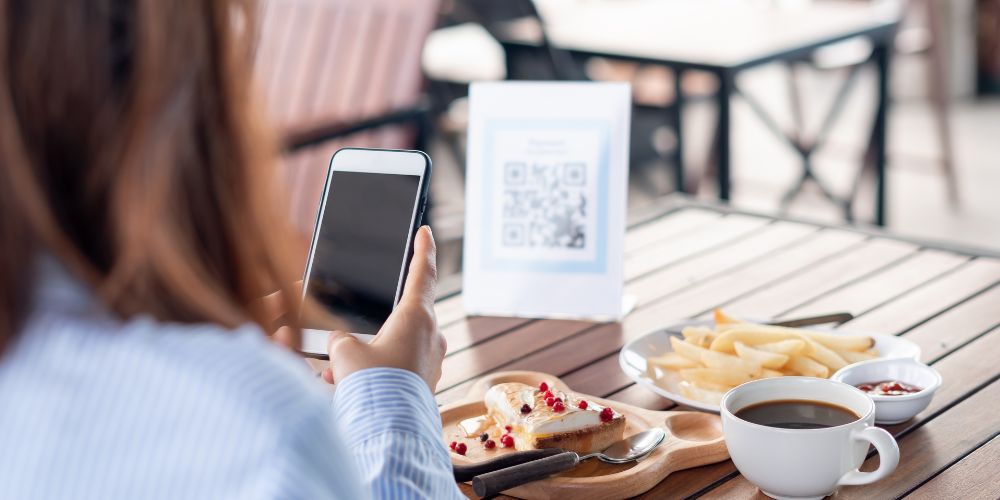
Restaurant guests increasingly expect speed, convenience and control when they dine out. At the same time, operators are dealing with tight margins, rising labour costs and peak-hour pressure. A good table ordering system makes ordering easier. It helps reduce mistakes and frees staff to focus on hospitality.
This guide explains what a table ordering system is, how QR code ordering works, the key features to prioritise, and how to evaluate options based on your restaurant’s needs.
Understanding table ordering systems
What is a table ordering system?
A table ordering system (sometimes called a table ordering app or restaurant order application) enables guests to place orders from their table digitally. Depending on the setup, customers may:
- Scan a QR code to access digital menus on their phone
- Order via a table-side tablet
- Order through a server using a handheld device that sends the order directly to the kitchen
In most modern setups, orders flow into the kitchen (KDS or printers) and can be linked to payments, customer data and reporting.
Importance in the modern restaurant landscape
For owners and managers, the value of tableside ordering isn’t just convenience—it can directly impact throughput and guest satisfaction. When implemented well, digital ordering can support:
- Reduced wait times during peak hours
- Fewer order errors and smoother kitchen communication
- Higher average order value through smart prompts (e.g., add-ons)
- More consistent service when staffing is tight
Types of table ordering systems
Most ordering systems for restaurants fall into three categories:
- QR code ordering (customer-owned device): Guests scan a code to order on their phone. This is often the quickest to deploy with minimal hardware.
- Tablet ordering (table-owned device): A tablet stays on the table and guests order from it. This can work well in venues that want a consistent interface and do not want to rely on customer phones.
- Staff handheld ordering (server-owned device): Staff take orders at the table using handhelds that sync with the POS. This improves speed and accuracy while keeping the service model fully staff-led.
Many restaurants use a hybrid approach—for example, QR ordering for drinks and reorders, with staff supporting guests who prefer a traditional experience.
How QR codes enhance table ordering
The key benefits of QR code ordering are:
Simplifying the ordering process
QR code ordering is straightforward from the guest’s perspective: they’re scanning a QR code, viewing the menu, customising orders, and sending them to the kitchen without waiting to flag down a server. For operators, the benefit is consistency: every table follows the same ordering experience, even when the dining room is busy.
Improving customer engagement
QR-led digital ordering can do more than replicate a paper menu. It can improve the dining experience by enabling:
- Real-time menu availability (e.g., hiding sold-out items)
- Clear allergen and dietary information
- Upsell prompts that feel helpful rather than pushy (e.g., “Add chips?”)
- Language options for diverse customer demographics
When paired with analytics, this also helps you understand customer preferences, best-selling items and drop-off points in the ordering process.
Key features to look for in a table ordering system
User-friendly interface
Your system should be intuitive for both guests and staff. Look for:
- Fast-loading digital menus (especially on mobile)
- Clear categories and search/filter options
- Easy customisation options (add-ons, modifiers, cooking preferences)
- Accessibility considerations (readable fonts, high-contrast options)
Integration with existing POS systems
Integration matters because it reduces manual work and prevents errors. A strong table ordering system should connect cleanly to your POS so that:
- Orders route automatically to the right prep stations
- Pricing and taxes stay consistent across channels
- Tables, tabs and bills are managed in one place
- Reporting reflects dine-in digital ordering alongside other sales
If you’re evaluating a solution for your restaurant, 3S POS can help with a the table ordering workflow that fits into your day-to-day operations (front of house, kitchen, and management reporting).
QR code implementation
QR ordering success often comes down to details. Prioritise:
- Table-specific QR codes (so orders go to the correct table)
- Simple re-ordering and item repeats
- Clear guest guidance (on-table signage, short instructions)
- Flexible options: order-and-pay, order-only, or pay-at-counter
Customisation options
Restaurants vary widely in service style, menu complexity and guest expectations. Choose a system that supports:
- Menu scheduling (breakfast/lunch/dinner, happy hour)
- Modifiers and bundles (e.g., meal deals)
- Notes and special instructions (with sensible limits to protect the kitchen)
- Branding (logos, colours, imagery) for a consistent feel
Support for multiple payment methods
Payment flexibility can improve conversion and speed up table turns. Look for support for:
- Card payments and mobile wallets
- Split bills and shared items (important for groups)
- Tips and service charge rules that align with your policy
- Receipts (email/SMS) and VAT-compliant documentation as needed
Real-time menu updates
Being able to update pricing, availability and item descriptions quickly is essential—especially when you’re busy. Real-time updates help reduce awkward guest conversations about items that are no longer available and protect the kitchen from surprise substitutions.
Analytics and reporting tools
Good reporting turns digital ordering into an operational advantage. Prioritise analytics that can show:
- Sales by channel (staff vs digital ordering)
- Average order value and attach rates for add-ons
- Peak hours and ordering patterns by daypart
- Menu performance (what sells, what doesn’t, how customers are customising orders and what slows the kitchen)
- Guest behaviour signals (e.g., abandoned carts)
Over time, these insights can guide menu engineering, staffing decisions and promotional strategy.
Cost considerations
Initial investment vs. long-term gains
Cost isn’t just the subscription fee. A table ordering system can create measurable gains—faster table turns, fewer mistakes, more consistent upselling—but only if it’s implemented and adopted properly. When assessing ROI, consider:
- Time saved per table during peak hours
- Reduction in order errors and comped items
- Potential lift in average spend from smart menu design
- Impact on staff workload and service quality
Subscription models vs. one-time purchases
Many table ordering platforms use subscription pricing, sometimes with additional fees for features, locations, or support tiers. Others charge a one-time setup plus ongoing maintenance. When comparing, ask what’s included:
- Number of menus/items/modifiers
- Number of venues (single site vs multi-site)
- Support hours and response times
- Software updates and feature releases
Hidden costs to consider
Common costs that are easy to overlook include:
- Connectivity: strong Wi‑Fi coverage across the dining area
- Hardware: tablets, stands, printers, kitchen display screens (if needed)
- Payment processing: transaction fees and any platform commissions
- Menu build and imagery: setup time, photography, and content updates
- Training and change management: getting staff confident and consistent
- Table signage: QR stickers/stands and replacement over time
Evaluating your restaurant’s needs
Identifying your customer demographics
Customer expectations vary by venue type. Quick-service and high-footfall casual dining often benefit from frictionless digital ordering. Fine dining may prefer a more assisted approach, using digital tools behind the scenes while keeping the guest experience highly personal. Consider how comfortable your typical guests are with mobile ordering and what level of assistance they may need.
Assessing your menu complexity
Complex menus with many modifiers (e.g., pizza, burgers, build-your-own bowls) can benefit from structured customisation options that reduce errors. On the other hand, overly complex flows can slow ordering and frustrate guests. The right balance is a menu design question as much as a software question.
Considering staff training requirements
A table ordering system should make your team’s job easier—not add extra steps. Before committing, map the full workflow:
- How orders appear in the kitchen
- How staff handle guest questions and exceptions
- How voids, refunds, and item edits are managed
- How tables are closed out and reconciled at end of day
Plan short, role-specific training sessions (front of house, kitchen, managers) and document the “what to do when…” scenarios that happen in real service.
Customer response evaluation
Consider a soft launch. For example, start with QR ordering for drinks, desserts, or off-peak periods. Collect feedback from both guests and staff. Pay attention to:
- Where guests get stuck in the ordering experience
- Whether certain tables or areas have connectivity issues
- How the kitchen handles order pacing and course timing
Adapting based on feedback
Digital ordering works best when it evolves. Use early feedback and reporting to refine:
- Menu layout and item descriptions
- Modifier choices and defaults
- Upsell prompts (keep them relevant and limited)
- Signage and on-table instructions
This ongoing optimisation is where many restaurants see the biggest long-term gains.
Conclusion
The right table ordering system can improve service consistency, reduce wait times, and create a smoother ordering experience for guests—especially during peak hours. Focus on usability, POS integration, flexible QR code implementation, payment options, real-time menu control, and reporting that supports smarter decisions.
Next step: If you’re exploring table ordering as part of your wider restaurant operations strategy, request a demo or trial so you can test the ordering process end-to-end—from scanning a QR code through to kitchen production and reporting. The right solution should fit your service style and help your staff to focus on great customer service.
For almost 20 years, 3S POS has offered one of the most flexible EPOS systems and Restaurant Payment Solution. Our clients include international brands such as Caffe Concerto, Chaiiwala, Heavenly Desserts, Pepe’s Piri Piri, GDK and thousands more delighted customers.
If you are looking for a QR Code Ordering System with payment options, speak to our sales for a free demo.